Getting Started with LensGenai Image Creation
11/10/2025
LensGenAI Team
In this simple guide, we'll walk you through navigating the platform and generating stunning product images using AI.
1. Sign Up for an Account: Create your account via the Signup page and confirm your email to access your dashboard, where you'll see your plan details and account info.
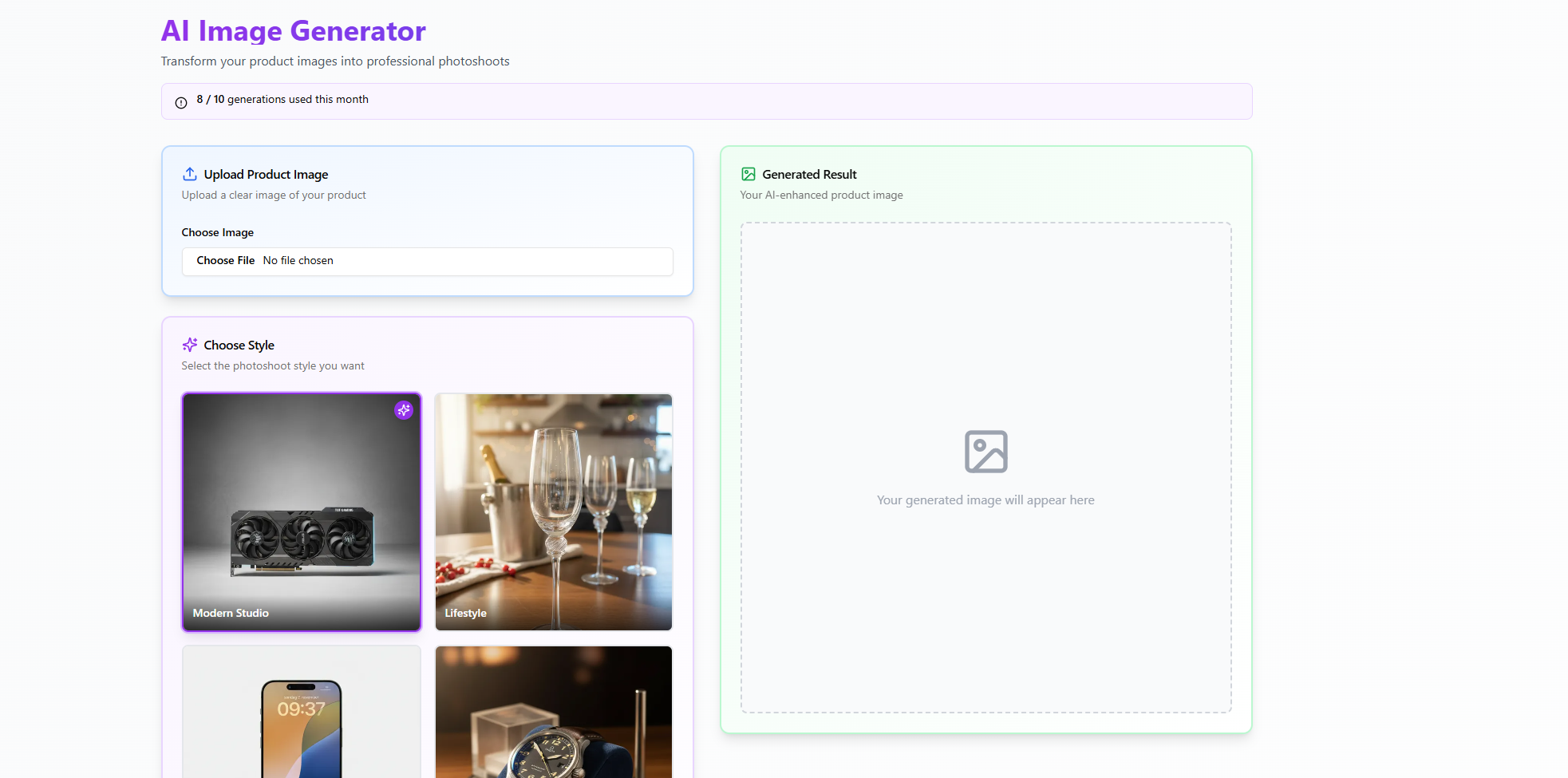
2. Navigate to Generate: Head to the "Generate" section and upload an image of your product.
3. Customize Your Style: Select the style that best suits your needs. Below, you'll find a prompt field to make minor adjustments to the product or leave it blank for default settings.
4. Generate the Image: Click "Generate" and wait a few seconds for the AI to create your transformed image.
5. View Results: Your new image will appear in the "Generated Result" area. All created images are also saved on your dashboard for easy access and review.
If you encounter any bugs please send a email to support@lensgenai.com.